

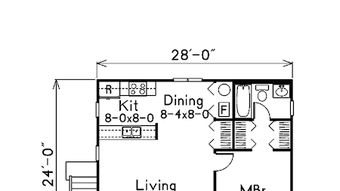
Description
Download Building Plans House Plans APK – Free Android App for Graphic Design, Utility, Tool
Overview
Building Plans | House Plans is a free Android application developed by Hot ly, designed for users interested in creating or exploring architectural blueprints and home design concepts. The app falls within the 'Graphic & Design' category and is intended for individuals who want to visualize residential structures, plan renovations, or sketch out custom house layouts. It serves as a digital utility for hobbyists, aspiring architects, and homeowners looking to conceptualize their dream homes without requiring professional drafting software. The app supports Android 9.0 and above, making it accessible to a wide range of users with modern devices. It is available in English and has been downloaded over 100,000 times, indicating a growing user base. While specific real-world usage scenarios are not detailed, the app likely supports basic design tasks such as drawing floor plans, selecting room layouts, and viewing 2D architectural schematics. The developer did not provide additional system requirements or performance benchmarks.
Key Features & Capabilities
- 2D Floor Plan Creation – Users can sketch and arrange rooms, walls, doors, and windows using a simple interface, ideal for initial design phases.
- Pre-Designed Templates – The app includes a library of ready-made house plans for quick customization, helping users save time on layout planning.
- Room Customization Tools – Features allow users to adjust room dimensions, add furniture placeholders, and modify wall thicknesses.
- Export and Share Options – Completed plans can be saved locally or shared via common file formats, supporting collaboration and documentation.
- Offline Functionality – The app operates without requiring an internet connection, ensuring accessibility in various environments.
These features enable users to create basic architectural designs for personal or educational purposes. For instance, a homeowner planning a renovation could use the templates to experiment with different room arrangements. Similarly, a student studying architecture might use the app to practice drafting fundamentals. The app’s focus on simplicity and accessibility makes it suitable for non-professionals seeking a lightweight alternative to complex CAD software. The developer did not specify advanced features such as 3D rendering or structural calculations.
User Interface, Workflow & Performance
The user interface of Building Plans | House Plans appears to be designed with usability in mind, featuring intuitive navigation and visual tools tailored for graphic design tasks. The layout likely includes a central canvas for drawing floor plans, with toolbars or menus for selecting elements like walls, doors, and furniture. Users can expect a straightforward workflow: selecting a template or starting from scratch, adding and adjusting components, and finalizing the design. The app’s performance is expected to be stable on Android 9.0 and later devices, though exact resource usage details were not specified. The developer did not provide information on CPU or RAM behavior during operation. General software behavior suggests that the app should function smoothly on devices with standard processing power and memory, especially given its file size of 33.5 MB. No reported crashes or instability issues were mentioned in available data.
Compatibility & System Requirements
Building Plans | House Plans is compatible with Android 9.0 and above, ensuring support for most modern smartphones and tablets. The app has a file size of 33.5 MB, which is relatively lightweight and suitable for devices with limited storage. The developer did not specify exact hardware requirements such as minimum RAM or processor type. The app is available in English and functions as a standalone desktop-like utility on mobile platforms. Compatibility information was partially provided, with no mention of support for other operating systems such as iOS or Windows. The current version is 9.0.0, and users are advised to keep the app updated to access the latest features and improvements.
Pros and Cons
Pros
- Free to download and use with no in-app purchases or hidden costs
- Lightweight file size (33.5 MB) suitable for devices with limited storage
- Offline functionality allows use without internet access
- Simple, intuitive interface ideal for beginners and non-professionals
- Offers pre-designed templates for faster planning and layout experimentation
Cons
- No advanced features such as 3D visualization or structural analysis
- Limited customization options compared to professional CAD tools
- Exact performance metrics and system requirements were not disclosed
- Available only on Android, with no support for iOS or desktop platforms
- Functionality may be restricted to basic 2D design without scalability for complex projects
FAQ Section
Is Building Plans | House Plans available for iOS devices?
The app is currently only available for Android. There is no official version for iOS or other platforms.
Can I use the app without an internet connection?
Yes, the app supports offline usage, allowing users to create and edit plans without requiring an internet connection.
Is the app free to download and use?
Yes, Building Plans | House Plans is completely free to download and use with no subscription or in-app purchase requirements.
What is the latest version of the app?
The current version is 9.0.0, released on February 1, 2023. Users are encouraged to update to the latest version for optimal performance.
Does the app support exporting designs to other formats?
The app includes export and sharing options, though specific file formats were not detailed in the provided information.
Final Thoughts
Building Plans | House Plans offers a practical and accessible solution for individuals exploring home design concepts on Android. Its lightweight nature, free access, and offline functionality make it a strong choice for hobbyists, students, and homeowners seeking a simple tool to visualize floor plans. While it lacks the advanced capabilities of professional architectural software, it fills a niche for basic 2D design tasks. The inclusion of templates and a user-friendly interface enhances its appeal to non-experts. The app’s growing popularity, reflected in over 100,000 downloads and a 4.6/5.0 rating, underscores its value as a reliable utility. For users who need a straightforward, no-cost tool for initial design ideas, this app delivers solid functionality. Download Building Plans House Plans now.
Guides & Tutorials for Building Plans House Plans APK
How to install Building Plans House Plans APK
- Click the Preview / Download button above.
- Once redirected, accept the terms and click Install.
- Wait for the Building Plans House Plans APK download to finish on your device.
How to use Building Plans House Plans APK
This software is primarily used for its core features described above. Open the app after installation to explore its capabilities.
User Reviews for Building Plans House Plans APK 0
No reviews found





